

WP File Manager Plugin – WordPress File Management Guide
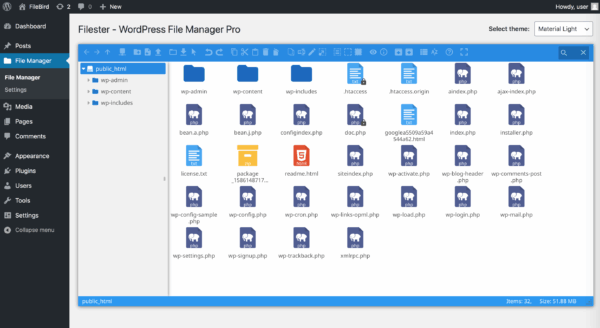
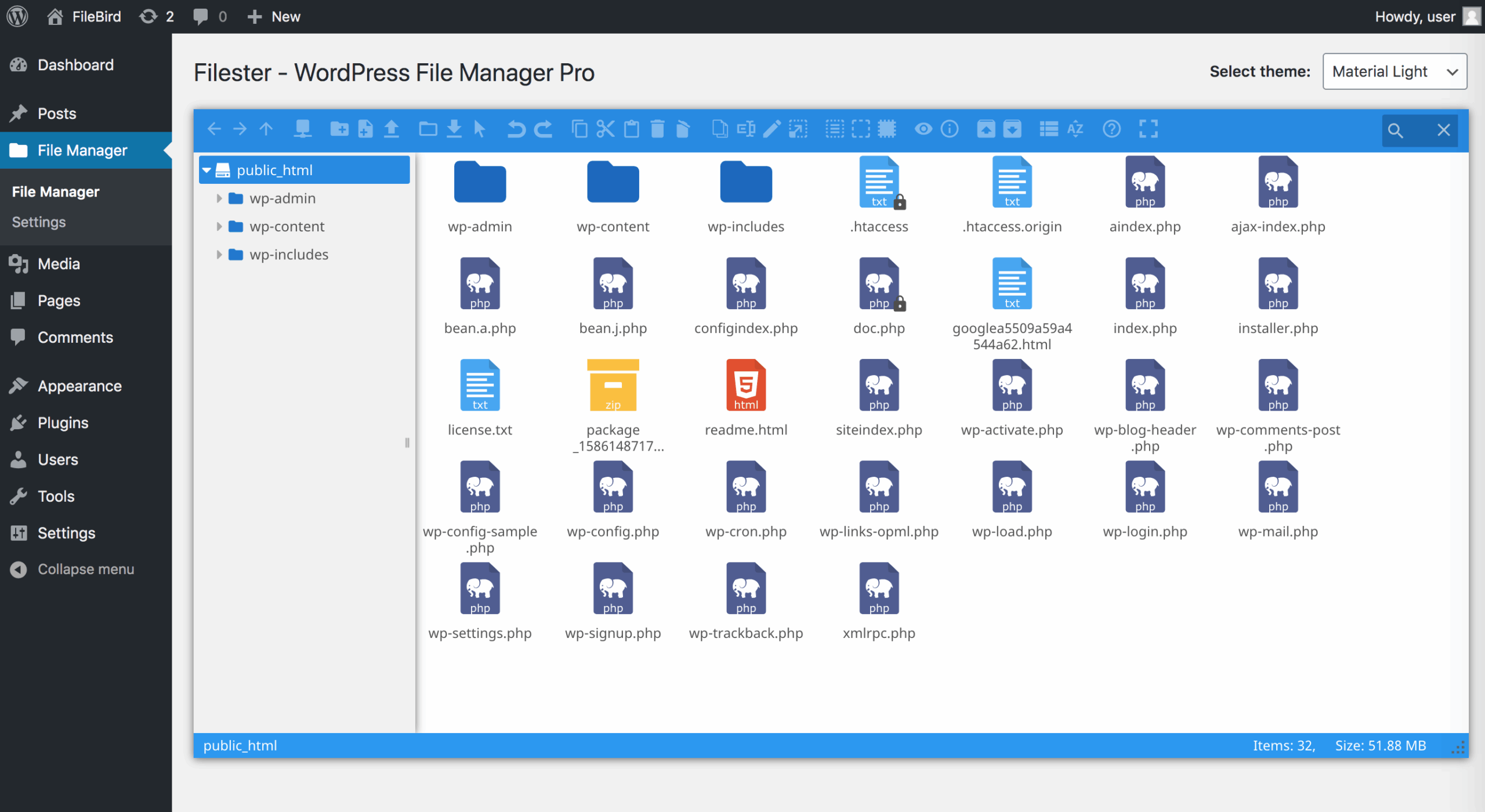
WP File Manager is a powerful WordPress file management plugin that allows website administrators to manage files directly from the WordPress dashboard.
Instead of using FTP clients or hosting control panels, users can upload, edit, delete, copy, move, and organize website files through an easy-to-use interface.
The plugin is useful for:
- WordPress administrators
- Developers
- Website managers
- Agencies
- Business websites
WP File Manager provides a convenient way to manage WordPress files while improving website maintenance efficiency.
Table of Contents
- What is WP File Manager
- Key Features
- File Upload and Management
- File Editor
- FTP Alternative
- User Permissions
- Frontend File Access
- Cloud Storage Integration
- Backup and Restore
- Security Considerations
- Performance Optimization
- System Requirements
- Installation Guide
- Why Choose WP File Manager
- Who Should Use WP File Manager
- Pros and Cons
- FAQ
- Conclusion
What is WP File Manager
WP File Manager is a WordPress plugin designed to simplify website file management.
It provides a browser-based file manager inside WordPress, allowing users to handle website files without accessing FTP or server control panels.
Common uses include:
- Editing theme files
- Managing plugin files
- Uploading documents
- Organizing media files
- Managing website resources
Key Features of WP File Manager
File Upload and Management
WP File Manager provides essential file management operations.
Users can:
- Upload files
- Download files
- Rename files
- Delete files
- Copy files
- Move folders
- Create new folders
The drag and drop interface makes daily website management easier.
File Editor and Code Management
WP File Manager includes file editing capabilities for developers and advanced users.
Features include:
- Text file editing
- Code editor
- Syntax checking
- Theme file management
- Plugin file editing
This allows developers to quickly update website files without leaving WordPress.
FTP Alternative for WordPress
Traditional website management often requires FTP software.
WP File Manager provides an alternative solution by allowing administrators to manage files directly inside WordPress.
Benefits include:
- No separate FTP application
- Faster file access
- Simple dashboard management
- Convenient website maintenance
User Permissions and Access Control
WP File Manager Pro provides permission management features.
Administrators can control:
- User access
- File operations
- Folder visibility
- User role permissions
- Private folders
These features are useful for websites with multiple administrators or team members.
Frontend File Access
WP File Manager Pro supports frontend file access through shortcodes.
This allows websites to create:
- Client file portals
- Document sharing areas
- Member download sections
- Private file libraries
Cloud Storage Integration
WP File Manager supports integrations with external storage services.
Possible integrations include:
- Google Drive
- Dropbox
- Amazon S3
- Cloudflare R2
- DigitalOcean storage
These features help websites manage files across different storage platforms.
Backup and Restore
File management plugins can also help with website maintenance tasks.
Common uses include:
- Backup website files
- Restore important files
- Move website resources
- Manage uploads
For large websites, regular backups are recommended before making file changes.
Security Considerations
Because file management tools provide access to website files, proper security practices are important.
Recommended actions:
- Use strong administrator passwords
- Limit user permissions
- Keep plugins updated
- Create backups before editing files
Performance Optimization
For better performance:
- Remove unused files
- Organize media folders
- Optimize large files
- Use reliable hosting
- Maintain regular backups
System Requirements
Recommended environment:
WordPress
Latest version recommended
PHP
PHP 7.4 or higher recommended
Hosting
Modern WordPress hosting environment
How to Install WP File Manager
Steps:
- Login to WordPress dashboard
- Open Plugins section
- Install WP File Manager
- Activate the plugin
- Configure permissions
- Start managing website files
Why Choose WP File Manager
WP File Manager is popular because it simplifies website maintenance.
Advantages include:
- Easy file management
- No FTP required
- Developer-friendly tools
- User permission controls
- Cloud storage support
- Convenient dashboard access
Who Should Use WP File Manager
Suitable for:
- WordPress administrators
- Developers
- Agencies
- Website owners
- Membership websites
- Business websites
Pros and Cons
Pros
- Easy file management
- FTP alternative
- Built-in editor
- User permission support
- Cloud integration
- Developer-friendly
Cons
- Requires careful permission management
- Editing files directly requires technical knowledge
- Large websites should use backups
Frequently Asked Questions
What is WP File Manager used for?
WP File Manager is used to manage WordPress website files directly from the dashboard.
Can WP File Manager replace FTP?
Yes. It provides many file management functions normally performed through FTP.
Can WP File Manager edit theme files?
Yes. Users can edit supported files directly through the built-in editor.
Does WP File Manager support user permissions?
Yes. Pro features include user and role-based access controls.
Can WP File Manager connect to cloud storage?
Yes. Supported integrations include services such as Google Drive, Dropbox, and other storage platforms.
Conclusion
WP File Manager is a practical WordPress plugin for managing website files without relying on external FTP tools.
With file upload, editing, organization, permissions, frontend access, and cloud storage support, it provides a complete file management solution for WordPress websites.
Whether you manage a personal blog, business website, or client project, WP File Manager can simplify daily website maintenance.







Reviews
There are no reviews yet.