

WP Rocket Cache Plugin – WordPress Speed Optimization Guide
WP Rocket is one of the most popular WordPress performance optimization plugins designed to improve website speed, loading times, and overall user experience.
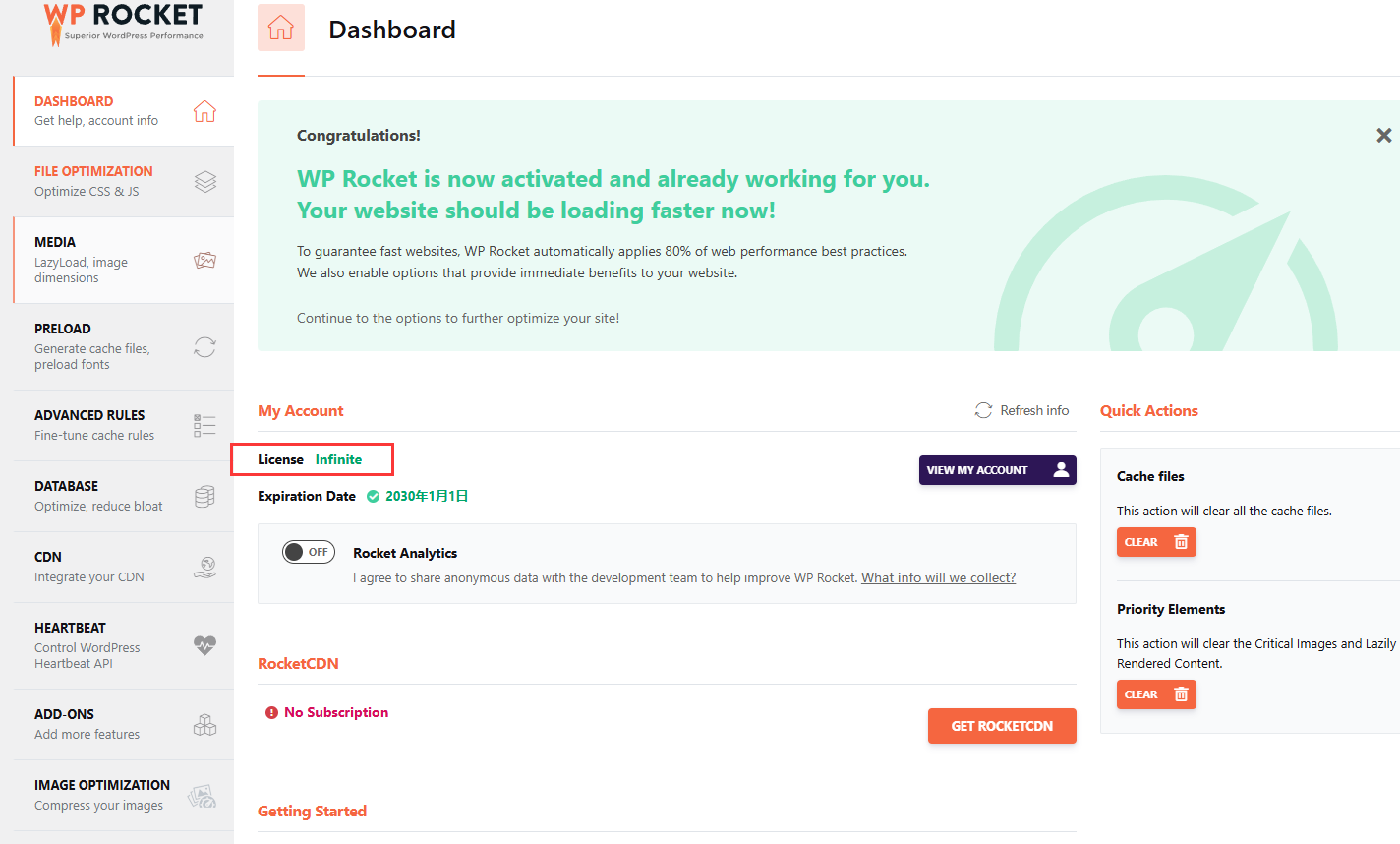
The plugin helps WordPress websites achieve better performance through advanced caching technology, file optimization, media optimization, database cleanup, and CDN integration.
WP Rocket is widely used by bloggers, businesses, WooCommerce stores, agencies, and developers who want to improve website speed without complicated server configuration.
Table of Contents
- What is WP Rocket
- Key Features
- Page Cache Optimization
- Cache Preloading
- CSS and JavaScript Optimization
- Image Lazy Loading
- Database Optimization
- CDN Integration
- WooCommerce Compatibility
- Performance Optimization
- System Requirements
- How to Install WP Rocket
- Why Choose WP Rocket
- Who Should Use WP Rocket
- Pros and Cons
- Frequently Asked Questions
- Conclusion
What is WP Rocket
WP Rocket is a premium WordPress caching and performance optimization plugin created to improve website loading speed.
Unlike traditional caching plugins that require complicated configuration, WP Rocket automatically applies many recommended performance settings after activation.
It is commonly used for:
- WordPress blogs
- Business websites
- WooCommerce stores
- Membership websites
- Portfolio websites
- Agency websites
The plugin focuses on improving website performance, user experience, and search engine optimization.
Key Features of WP Rocket
Page Cache Optimization
Page caching is one of the core features of WP Rocket.
The plugin creates cached versions of website pages, allowing visitors to load content faster.
Benefits include:
- Faster page loading
- Reduced server requests
- Better user experience
- Improved website performance
WP Rocket automatically enables page caching after activation.
Cache Preloading
WP Rocket includes cache preloading technology that automatically creates cached pages before visitors access them.
Benefits:
- Faster first-time visits
- Updated cache after content changes
- Better website availability
Cache preloading helps maintain fast loading speeds even after website updates.
CSS and JavaScript Optimization
WP Rocket provides advanced file optimization tools.
Features include:
- CSS minification
- JavaScript minification
- Remove unused CSS
- Load JavaScript later
- Delay JavaScript execution
These features help reduce page size and improve Core Web Vitals performance.
Image Lazy Loading
WP Rocket includes media optimization features that delay loading images and videos until they are needed.
Benefits include:
- Faster initial page loading
- Reduced bandwidth usage
- Improved mobile performance
Lazy loading is especially useful for image-heavy websites and WooCommerce stores.
Database Optimization
WP Rocket provides database cleanup tools to help maintain WordPress performance.
Database features include:
- Remove revisions
- Clean spam comments
- Delete unused data
- Optimize database tables
- Automatic cleanup options
A cleaner database can help improve website management efficiency.
CDN Integration
WP Rocket supports CDN integration to improve website speed for visitors from different locations.
CDN features include:
- CDN compatibility
- RocketCDN support
- Cloudflare integration
- Faster global content delivery
Using a CDN together with caching can improve website loading performance worldwide.
WooCommerce Compatibility
WP Rocket works well with WooCommerce websites.
WooCommerce optimization features include:
- Cart page exclusions
- Checkout compatibility
- Customer session handling
- Store performance improvements
This helps maintain fast shopping experiences without affecting important eCommerce functions.
Performance Optimization
WP Rocket helps improve:
- Page loading speed
- Google PageSpeed scores
- Core Web Vitals
- Server resource usage
- User experience
For best results, combine WP Rocket with:
- Optimized images
- Quality hosting
- CDN services
- Lightweight WordPress themes
System Requirements
Before installing WP Rocket, ensure your website meets:
WordPress Version
Latest WordPress version recommended
PHP Version
PHP 7.4 or higher recommended
Hosting
Modern WordPress hosting environment
Website Type
Compatible with blogs, business websites, and WooCommerce stores
How to Install WP Rocket
Follow these steps:
- Install WordPress
- Upload WP Rocket plugin
- Activate the plugin
- Configure cache settings
- Enable file optimization options
- Configure CDN if needed
- Test website performance
Why Choose WP Rocket
WP Rocket is popular because it provides powerful performance optimization features while keeping configuration simple.
Main advantages include:
- Easy setup
- Powerful caching system
- CSS and JavaScript optimization
- Database cleanup
- CDN support
- WooCommerce compatibility
It is suitable for both beginners and advanced WordPress users.
Who Should Use WP Rocket
WP Rocket is suitable for:
- Website owners
- Bloggers
- WooCommerce stores
- Agencies
- Developers
- Business websites
It is especially useful for websites that need better loading speed and improved user experience.
Pros and Cons
Pros
- Easy configuration
- Powerful caching features
- Excellent optimization tools
- WooCommerce support
- CDN integration
- Improves website speed
Cons
- Premium plugin
- Advanced settings require testing
- Some hosting environments may need custom configuration
Frequently Asked Questions
Is WP Rocket good for WordPress speed optimization?
Yes. WP Rocket is designed specifically to improve WordPress website performance through caching and optimization features.
Does WP Rocket work with WooCommerce?
Yes. WP Rocket includes WooCommerce compatibility features to avoid caching sensitive shopping pages.
Does WP Rocket improve Google PageSpeed?
WP Rocket can help improve performance metrics by optimizing caching, files, images, and loading behavior.
Does WP Rocket support CDN?
Yes. WP Rocket supports CDN integration and works with services such as RocketCDN and other CDN providers.
Is WP Rocket beginner friendly?
Yes. WP Rocket is designed to provide useful optimization features with minimal configuration.
Conclusion
WP Rocket is one of the most powerful WordPress performance optimization plugins available today.
With advanced caching, file optimization, lazy loading, database cleanup, CDN support, and WooCommerce compatibility, WP Rocket provides a complete solution for improving website speed.
Whether you run a blog, business website, or online store, WP Rocket can help create a faster and smoother browsing experience for visitors.





Reviews
There are no reviews yet.